QESCO Bill Check is simple and convenient. Enter your 14-digit reference number in the box above to access your latest electricity bill. You can view the bill details, download a duplicate copy, or print it for your records.
QESCO Online Bill Check
You will be redirected to the official PITC QESCO Bill website.
How to Check QESCO Bill Online?
It is very simple to check your QESCO online bill. Just follow the steps below:
- Locate the 14-digit reference number printed on any previous QESCO electricity bill.
- Type the reference number into the bill check box provided above.
- Press the “Check Bill” button to continue.
- Your latest QESCO online bill will be displayed instantly.
- Review the bill details, then download or print a duplicate copy if required.
- Use the printed or downloaded bill to pay your electricity charges before the due date.
Why Use the QESCO Online Bill Check Service?
- 24/7 Availability: Check your electricity bill online at any time without visiting an office.
- No Registration Required: Simply enter your 14-digit reference number to access your bill instantly.
- Easy Bill Download: Save a duplicate copy in PDF format or print it whenever needed.
- Time-Saving Solution: Skip long queues and check your bill from your home, office, or mobile device.
- Never Miss a Due Date: View your current bill early and pay it on time to avoid late payment surcharges.
- Quick Bill Verification: Verify your latest billing information before making a payment.
- Mobile-Friendly Access: Use the service smoothly on smartphones, tablets, laptops, or desktop computers.
- Paperless Convenience: Access your electricity bill online even if the printed copy has not arrived.
Areas Covered by QESCO

Note: If you live in any of the districts served by Quetta Electric Supply Company (QESCO), you can use the QESCO online bill check service to view, download, and print your latest electricity bill using your 14-digit reference number.
QESCO Peak Hours
| Season | Peak Hours |
|---|---|
| December – February | 5:00 PM – 9:00 PM |
| March – May | 6:00 PM – 10:00 PM |
| June – August | 7:00 PM – 11:00 PM |
| September – November | 6:00 PM – 10:00 PM |
QESCO Bill Online Payment Methods
Online Banking Apps
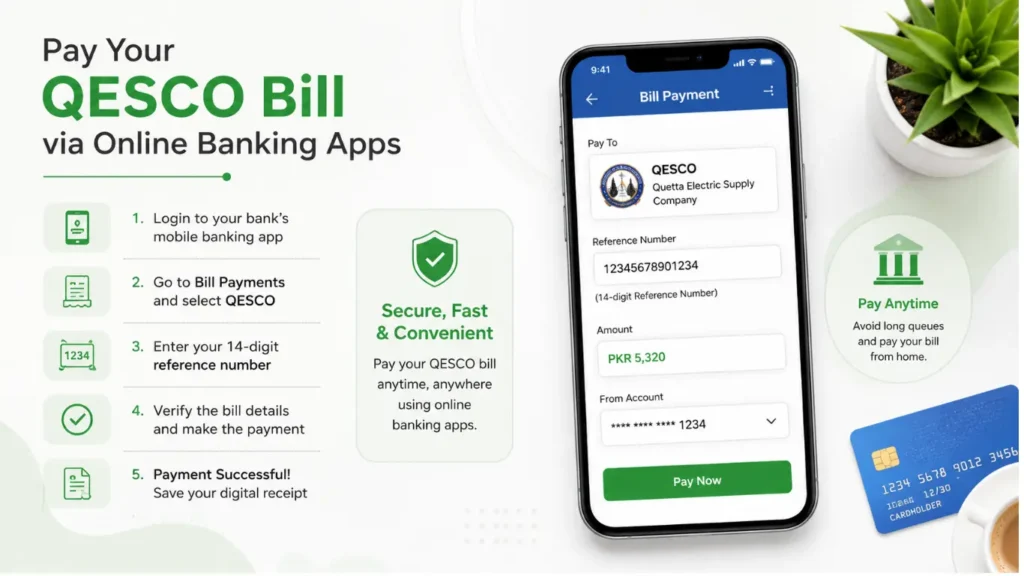
Most banks in Pakistan allow customers to pay their QESCO electricity bills through their mobile banking applications. Simply log in to your bank’s app, select the Bill Payments option, choose QESCO, and enter your 14-digit reference number. Verify the bill details, complete the payment securely, and save the digital receipt for future reference. This method is available 24/7 and helps you avoid visiting a bank branch.
Benefits:
- Secure and instant bill payment from anywhere.
- Digital payment receipt for easy record-keeping.
Mobile Wallets
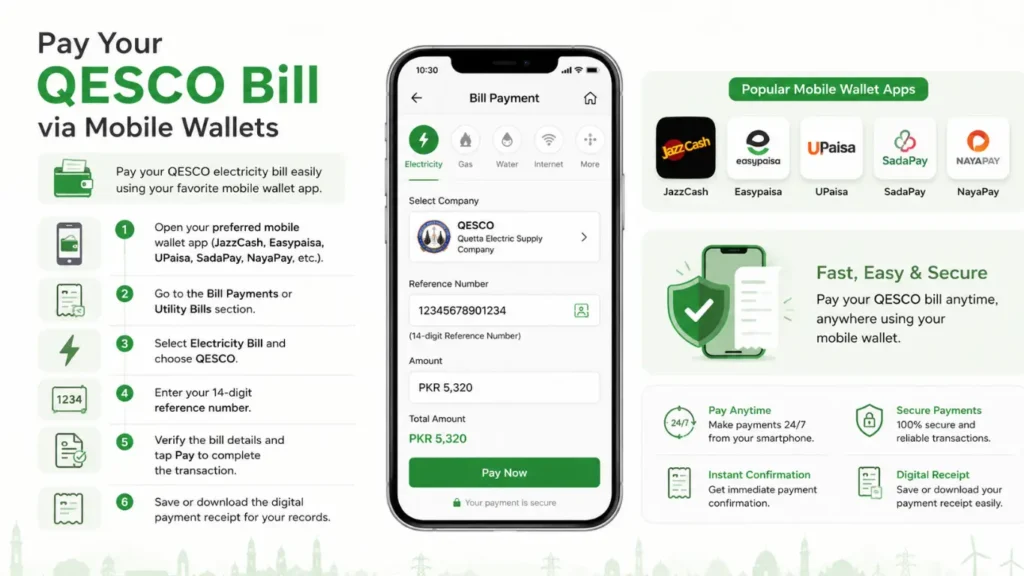
You can also pay your electricity bill using popular mobile wallet apps in Pakistan. Follow these simple steps:
- Open your preferred mobile wallet app (such as JazzCash, Easypaisa, UPaisa, SadaPay, or NayaPay).
- Go to the Bill Payments or Utility Bills section.
- Select Electricity Bill and choose QESCO from the list.
- Enter your 14-digit reference number.
- Verify the bill details and tap Pay to complete the transaction.
- Save or download the digital payment receipt for your records.
Benefits:
- Make secure payments anytime without visiting a payment center.
- Get instant payment confirmation and a digital receipt.
ATM Machines
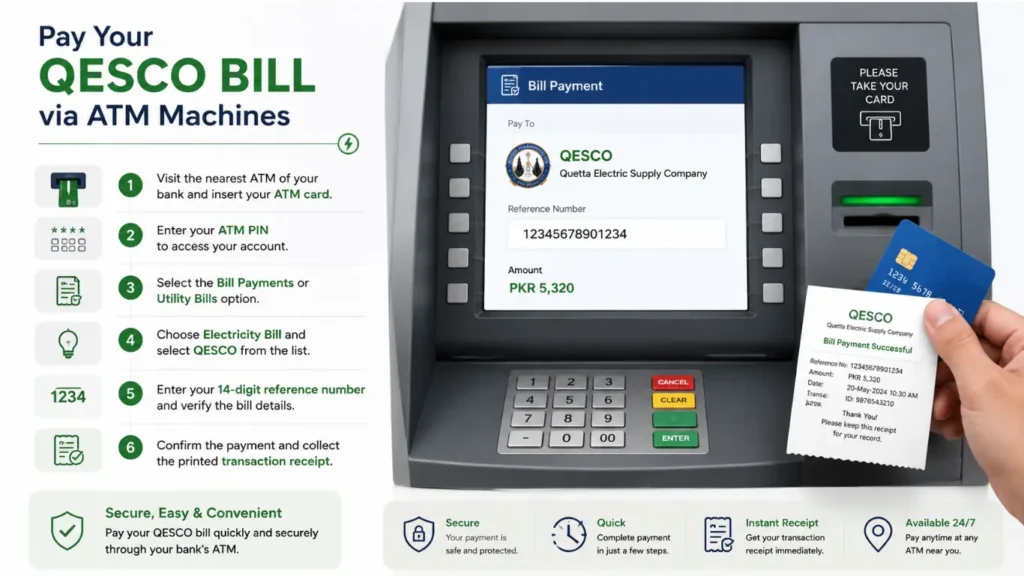
You can also pay your electricity bill through the ATM of your bank. Follow these simple steps:
- Visit the nearest ATM of your bank and insert your ATM/debit card.
- Enter your ATM PIN to access your account.
- Select the Bill Payments or Utility Bills option from the menu.
- Choose Electricity Bill and select QESCO from the list.
- Enter your 14-digit reference number and verify the bill details.
- Confirm the payment and collect the printed transaction receipt.
Benefits:
- Pay your QESCO bill securely without visiting a bank counter.
- Receive an instant payment receipt for your records.
Banks & Post Offices
You can also pay your QESCO electricity bill by visiting a bank branch or a nearby post office. Follow these simple steps:
- Visit the nearest bank branch or Pakistan Post Office.
- Carry a printed copy of your electricity bill.
- Submit the bill to the cashier or payment counter.
- Pay the bill amount using cash or another accepted payment method.
- Collect the stamped payment receipt after the transaction is completed.
- Keep the receipt safe as proof of payment for future reference.
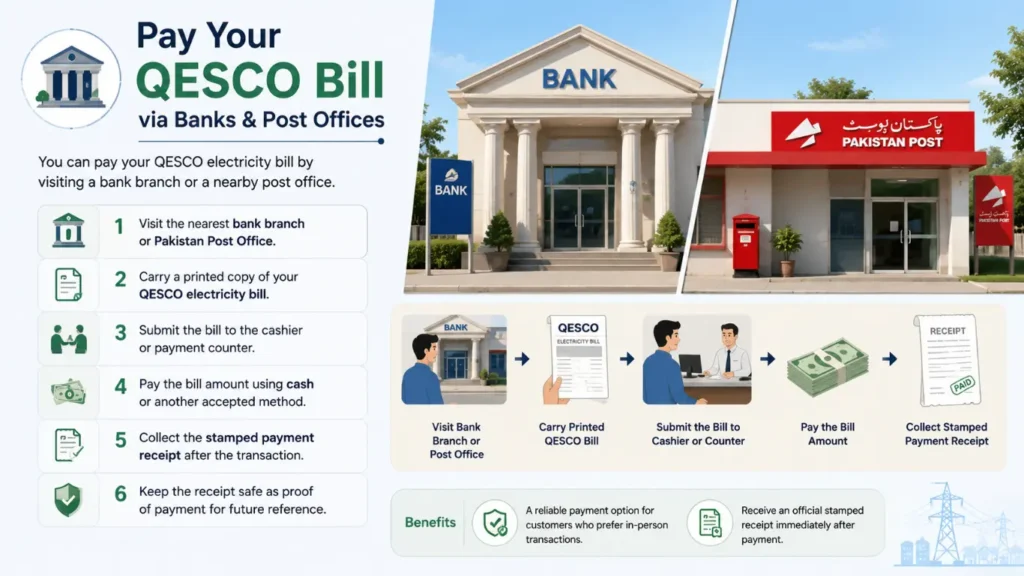
Benefits:
- A reliable payment option for customers who prefer in-person transactions.
- Receive an official stamped receipt immediately after payment.
Why do we use QESCO Online Bill Checking?
Many QESCO consumers, especially those living in remote areas of Balochistan, may not receive their printed electricity bills on time. The QESCO Bill Check Online service offers a quick and convenient way to access your latest bill from anywhere. By using your 14-digit reference number, you can instantly view, download, or print a duplicate copy whenever needed, making bill management easier and more reliable.
Benefits
- Access your bill anytime without waiting for the printed copy.
- Reduce the risk of late payment charges by checking your bill online.
- Download or print a duplicate bill whenever required.
- View your latest billing information in just a few clicks.
- Save time by avoiding unnecessary visits to customer service centers.
- Use the service 24/7 from your mobile phone, tablet, or computer.
This online service is simple, secure, and available around the clock, helping QESCO consumers manage their electricity bills more efficiently.